Java equals() vs ==, compareTo() and substring() Explained for AP Computer Science A
Java equals(), compareTo(), substring(), and length() Explained for AP Computer Science A
Preparing for the AP Computer Science A exam means becoming comfortable with Java's built-in String methods. While they may appear straightforward, methods such as equals(), compareTo(), substring(), and length() appear frequently in both multiple-choice and free-response questions. Students often know what these methods do individually but struggle to decide which one to use in a particular situation.
During one of my recent one-to-one AP Computer Science A tutoring sessions, we focused entirely on these methods while solving practical programming exercises. Rather than simply memorizing syntax, we explored why Java behaves the way it does, how computers compare text internally, and how these methods are used in authentic programming tasks.
Why Java String Methods Matter
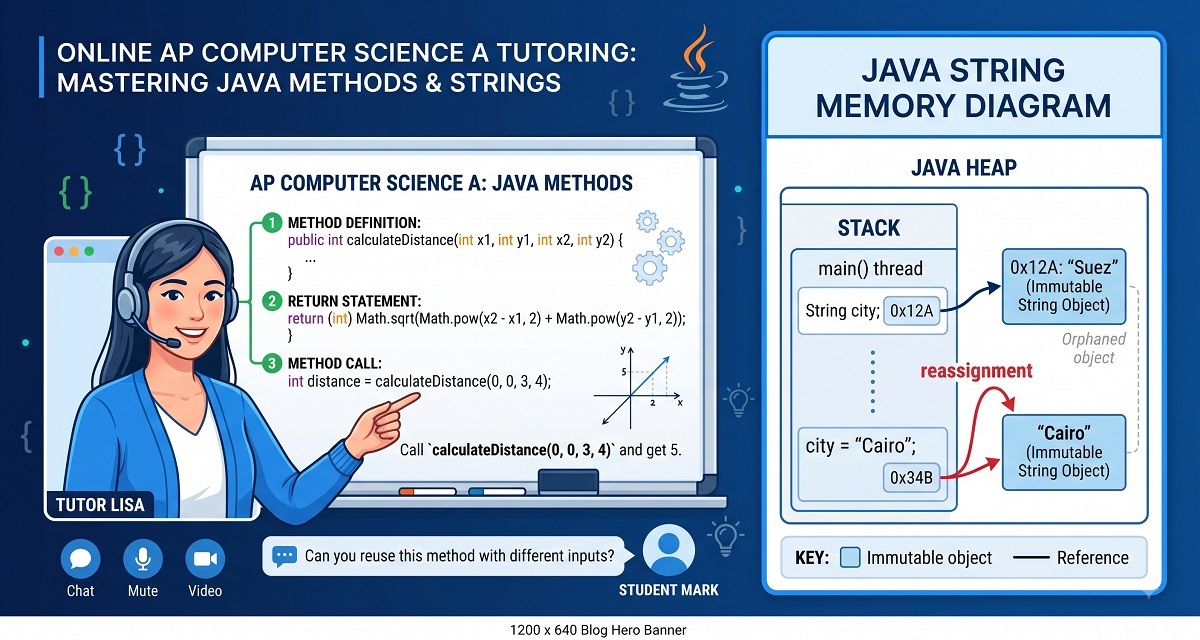
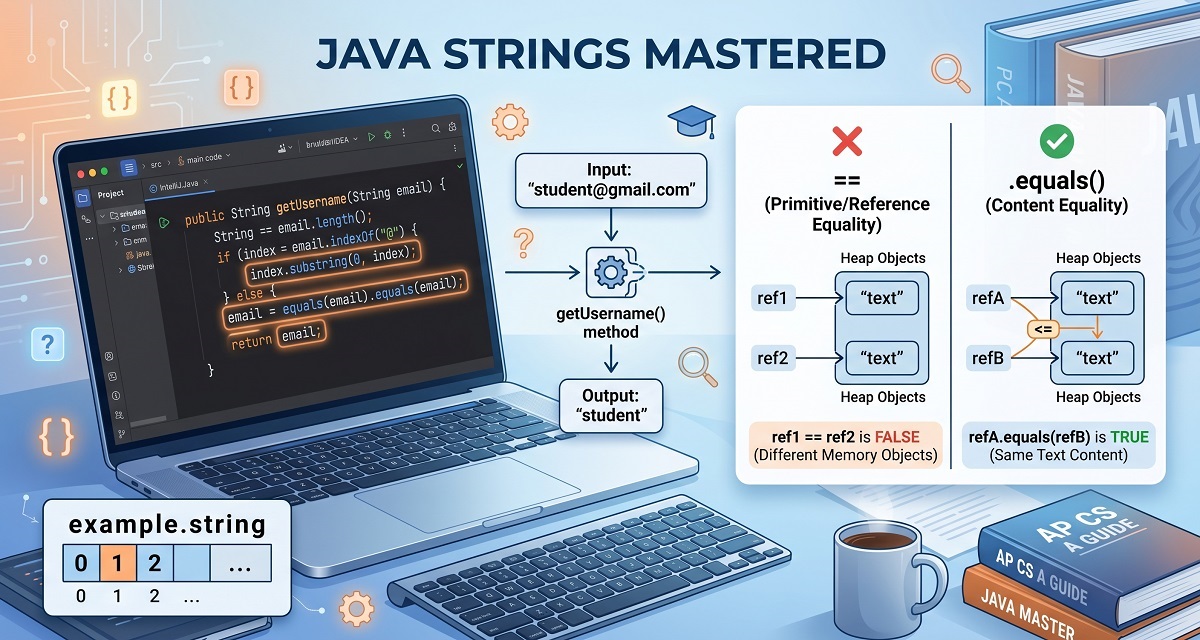
Java treats Strings as objects, not primitive data types. This distinction affects how comparisons are performed and explains why many beginners accidentally write incorrect code.
A common mistake is writing:
if(password == enteredPassword)
Although this sometimes appears to work, it compares whether two variables refer to the same object, not whether they contain identical text.
The correct solution is:
if(password.equals(enteredPassword))
Understanding this difference is essential not only for the AP exam but also for real software development.
Understanding equals()
One exercise during the lesson involved creating a simple password validation method.
Instead of checking object references, we compared the actual contents of two strings.
public static boolean checkPassword(String entered, String stored)
{
    return entered.equals(stored);
}
This simple example demonstrates how login systems determine whether a username or password matches the stored value.
Students frequently confuse == with equals(). During the lesson, we discussed why Java separates these concepts and why object comparison requires dedicated methods.
Using compareTo() to Compare Strings
The session then moved on to compareTo(), one of the most misunderstood String methods in AP Computer Science A.
Unlike equals(), which simply returns true or false, compareTo() returns an integer.
city1.compareTo(city2)
The result can be:
- 0 → both strings are identical
- Negative number → first string comes first alphabetically
- Positive number → second string comes first alphabetically
This makes compareTo() extremely useful when sorting names or determining alphabetical order.
How Computers Know Alphabetical Order
One excellent question raised during the tutoring session was:
"How does the computer know that A comes before B?"
The answer lies in ASCII (American Standard Code for Information Interchange).
Every character has an associated numeric value.
For example:
| Character | ASCII Value |
|---|---|
| A | 65 |
| B | 66 |
| a | 97 |
| b | 98 |
| 0 | 48 |
Java compares these underlying numeric values when using compareTo().
Students do not need to memorize ASCII values for the AP exam, but understanding the concept helps explain why uppercase and lowercase letters compare differently.
Working with substring()
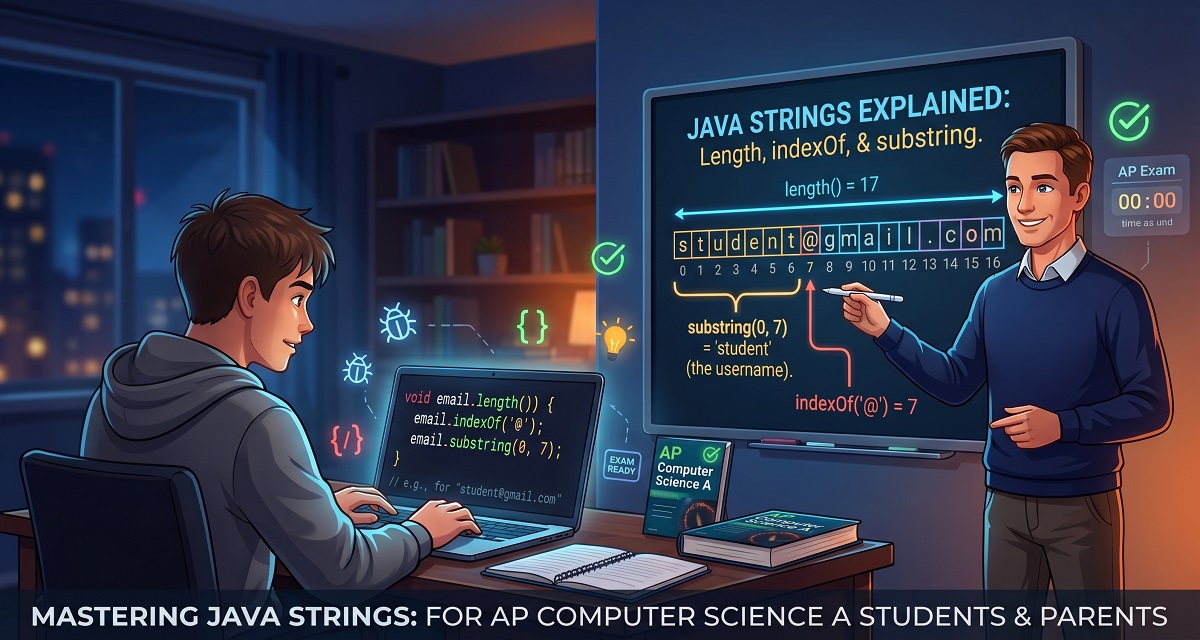
Another important topic covered during the session was extracting parts of a string.
Suppose we have:
String email = "[email protected]";
Using:
email.substring(0,9);
returns:
johnsmith
We also discussed why the ending index is exclusive.
This means:
substring(0,5)
returns characters:
0
1
2
3
4
—not character 5.
This is one of the most common AP CSA mistakes.
Building a Username Extraction Method
To combine several concepts together, we created a method that extracts the username from an email address.
The initial solution worked only for one specific email length.
During the session, we discussed improving the algorithm by using:
indexOf("@")
instead of hard-coded numbers.
The improved solution becomes much more flexible because it works for almost any valid email address.
Exercises like this teach students how to think algorithmically instead of relying on fixed values.
Debugging Java Methods
Another important part of the lesson involved debugging.
We corrected problems such as:
- Incorrect return types
- Missing curly braces
- Calling methods incorrectly
- Using
equals()improperly - Returning integers when a String was expected
One exercise required returning the city that comes first alphabetically.
After adding a condition for equal cities, we discovered that returning the word "same" meant the method could no longer return an integer.
The solution was changing the method signature from:
public static int compareCities(...)
to
public static String compareCities(...)
This highlights an important programming principle:
A method's return type must always match the value it returns.
Practical Tips for AP Computer Science A Students
From teaching AP Computer Science A students over many years, I've noticed several recurring mistakes:
- Using
==instead ofequals() - Forgetting that
substring()excludes the ending index - Misunderstanding
compareTo()return values - Mixing uppercase and lowercase comparisons
- Returning the wrong data type from methods
The best way to master these concepts is through consistent practice. Write small programs, test different inputs, and deliberately predict the output before running the code.
Watch the Full Lesson
📺 Lesson Recording
(Insert YouTube Link)
Download the Presentation Slides
📊 (Insert Slides Link)
Author Bio
Ahmed Elmalla is a Computer Science educator, Certified Cambridge International AS & A Level Computer Science (9618) teacher, and software engineer with over 20 years of teaching, software engineering, and international tutoring experience. He specializes in AP Computer Science A (Java) and Cambridge IGCSE (0478) and AS & A Level Computer Science (9618), helping students build strong programming, computational thinking, and exam-solving skills. Through his Learn with Kemo platform, he has mentored students from around the world using practical, exam-focused instruction tailored to each learner's needs. His lessons combine real-world software engineering experience with personalized one-to-one tutoring, making complex Java and Computer Science concepts easier to understand. Ahmed is passionate about helping students gain confidence, improve academic performance, and achieve outstanding results in international Computer Science examinations.
LinkedIn: https://www.linkedin.com/in/akelmalla
WhatsApp: https://wa.me/60194028484
.png)
.png)
.png)
1.png)