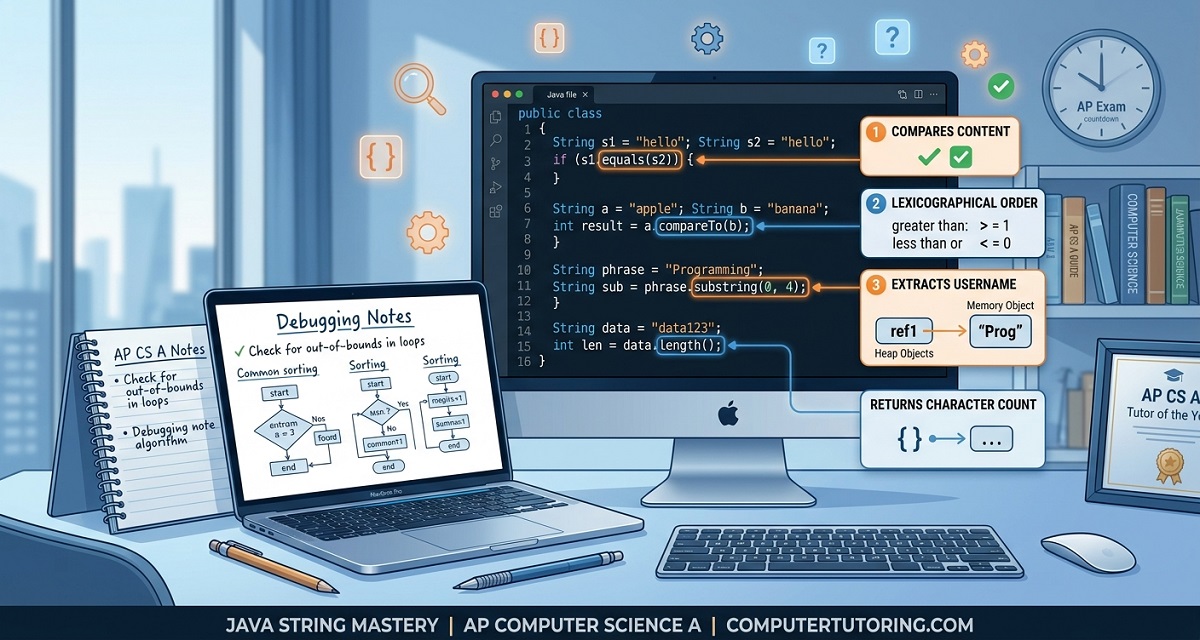

Java Strings in AP Computer Science A: Immutability, String Concatenation, Escape Sequences & Objects Explained
Java Strings in AP Computer Science A: Understanding Objects, Immutability, Concatenation, and Escape Sequences
If you've recently started AP Computer Science A, you've probably discovered that Strings are much more than just text inside quotation marks.
Many students assume Strings behave like primitive data types such as int or double. In reality, Strings are objects, which means they behave differently in memory and support many useful methods you'll repeatedly use throughout the course and on the AP CSA exam.
During a recent one-to-one tutoring session, we explored these concepts in depth through coding exercises rather than memorizing definitions. By the end of the lesson, the student understood not only how Strings work, but why Java behaves the way it does when concatenating values, storing text in memory, and printing formatted output.
This article summarizes those lessons and expands on them with additional examples that every AP Computer Science A student should master.
Strings Are Objects, Not Primitive Data Types
One of the first conceptual hurdles in Java is understanding that Strings are objects.
Primitive variables store their actual values directly.
For example:
int age = 17;
The variable contains the value itself.
A String behaves differently.
String name = "Ahmed";
Instead of storing the characters directly, the variable stores a reference to a String object somewhere in memory.
This distinction becomes increasingly important later when learning:
-
object-oriented programming
-
constructors
-
inheritance
-
method parameters
-
reference variables
During the tutoring session, we compared primitive variables to storing a number inside a small box, while String variables behave more like storing the address of a house rather than the house itself.
This analogy helped explain why objects behave differently from primitive values.
Why Java Strings Are Immutable
One topic that frequently appears in AP CSA is String immutability.
Many beginners believe the following code changes the original String.
String city = "London";

city = "Paris";
It actually doesn't.
Instead, Java creates an entirely new String object.
The old object remains unchanged.
This is what programmers mean when they say:
Strings are immutable.
During the lesson, we illustrated this by imagining memory as a street of houses.
Initially:
city
   |
   ▼

"London"
After reassignment:
city
   |
   ▼

"Paris"

"London"
The variable simply points somewhere new.
Nothing inside the original object changes.
Understanding this concept makes later topics—including memory management and object references—much easier.
Understanding String Indexing
Another concept students often struggle with is character indexing.
Java counts from zero, not one.
For example:
Computer
| Character | C | o | m | p | u | t | e | r |
|---|---|---|---|---|---|---|---|---|
| Index | 0 | 1 | 2 | 3 | 4 | 5 | 6 | 7 |
This means:
String word = "Computer";

System.out.println(word.charAt(0));
prints
C
while
System.out.println(word.charAt(7));
prints
r
A useful AP CSA rule is:
Last Index = length() - 1
Students who forget this frequently encounter the infamous:
StringIndexOutOfBoundsException
Practicing indexing early makes future topics like substring extraction and searching much easier.
String Concatenation in Java
One of the most heavily tested concepts in AP Computer Science A is String concatenation.
Java uses the + operator for combining Strings.
Example:
String first = "Hello";
String second = "World";

System.out.println(first + second);
Output
HelloWorld
Simple enough.
But things become interesting when numbers appear.
Consider:
System.out.println("Hello" + 42);
Output
Hello42
Why?
Because Java automatically converts the integer into a String.
This process is called implicit type conversion.
The tutoring session included several examples that students commonly answer incorrectly on quizzes.
Example:
System.out.println(1 + 2 + "ABC");
Output
3ABC
because Java evaluates the arithmetic first.
Now compare that with:
System.out.println("ABC" + 1 + 2);
Output
ABC12
Since the String appears first, Java converts everything that follows into text instead of performing addition.
Understanding these small differences is essential for multiple-choice questions on the AP exam.
Operator Precedence Matters
Students often believe Java reads expressions strictly from left to right.
That isn't always true.
Java follows mathematical precedence.
Consider:
System.out.println(5 + 3 * 2);
Output
11
Multiplication happens before addition.
Now look at:
System.out.println("Answer: " + 5 + 3 * 2);
Output
Answer: 56
because:
3 * 2 = 6
then
"Answer: " + 5
becomes
Answer: 5
finally
Answer:56
During tutoring, we solved multiple examples like these because AP CSA frequently tests students' understanding of operator precedence combined with automatic String conversion.
Escape Sequences Every AP CSA Student Should Know
Formatting output is another fundamental Java skill.
Java uses escape sequences to represent special characters inside Strings.
Some of the most common include:
| Escape Sequence | Meaning |
|---|---|
\n |
New line |
\t |
Tab |
\" |
Double quotation mark |
\\ |
Backslash |
For example:
System.out.println("Java\nProgramming");
produces
Java
Programming
Using tabs:
System.out.println("Name\tScore");
creates neatly aligned output, making console programs much easier to read.
During our session, we experimented by removing backslashes to observe how Java interpreted the text differently. This hands-on approach helped reinforce the purpose of escape sequences and why syntax matters.
➡️
Common Mistakes Students Make with Java Strings
After teaching AP Computer Science A for several years and mentoring students one-to-one, I've noticed that the same misconceptions appear repeatedly. The tutoring session with Waddy reinforced this pattern. Rather than memorizing syntax, students benefit much more from understanding how Java evaluates expressions behind the scenes.
Here are some of the most common mistakes.
Mistake 1: Assuming Strings Behave Like Primitive Variables
Students often believe changing a String variable modifies the original object.
String a = "Hello";
String b = a;

b = "World";

System.out.println(a);
Many expect the output to be:
World
The correct output is:
Hello
Because assigning "World" creates a new String object, the original "Hello" remains unchanged.
Mistake 2: Forgetting Java Starts Counting at Zero
Students frequently write:
String word = "Java";

System.out.println(word.charAt(4));
This causes an error because the indices are:
| Character | J | a | v | a |
|---|---|---|---|---|
| Index | 0 | 1 | 2 | 3 |
The last index is always:
length() - 1
Remembering this simple rule prevents many runtime errors.
Mistake 3: Misunderstanding String Concatenation
Consider these two statements.
System.out.println(10 + 20 + "Java");
Output
30Java
Now compare it with
System.out.println("Java" + 10 + 20);
Output
Java1020
The location of the first String completely changes how Java evaluates the expression.
Mistake 4: Ignoring Operator Precedence
Many students predict
System.out.println("Result = " + 10 + 5 * 2);
will print
Result = 30
The actual output is
Result = 1010
because
5 * 2 = 10
then Java performs String concatenation.
These examples regularly appear in AP CSA multiple-choice questions.
Practical Exercises from Our Tutoring Session
Instead of only discussing theory, Waddy completed several short coding exercises to reinforce each concept.
Exercise 1 — String Variables
String A = "Java";
String B = "Programming";
String C = A + " " + B;

System.out.println(C);
Expected Output
Java Programming
Exercise 2 — Concatenation Practice
System.out.println("Hello" + 42);
System.out.println(1 + 2 + "ABC");
System.out.println("ABC" + 1 + 2);
System.out.println((1 + 2) + "ABC");
Students should predict the output before running the code.
This develops computational thinking and strengthens performance on AP multiple-choice questions.
Exercise 3 — Escape Sequences
System.out.println("Student\tScore");
System.out.println("Ahmed\t100");

System.out.println();

System.out.println("Java\nProgramming");
This introduces formatting techniques commonly used in console applications.
Why These Topics Matter on the AP Computer Science A Exam
Although Strings seem like a beginner topic, they appear throughout the AP CSA curriculum.
Students are expected to understand:
-
object references
-
constructors
-
method parameters
-
return values
-
indexing
-
String methods
-
operator precedence
-
code tracing
-
debugging
These skills are tested in both sections of the AP Computer Science A exam.
Multiple Choice (55%)
Questions frequently require students to:
-
predict program output
-
trace String operations
-
identify compile-time errors
-
determine runtime behavior
Free Response (45%)
Students often manipulate Strings while writing complete Java programs involving:
-
methods
-
classes
-
ArrayLists
-
loops
-
conditionals
A weak understanding of Strings usually leads to mistakes in much larger programming questions.
Practical Tips for AP CSA Students
If you're preparing for the AP Computer Science A exam, these habits will make a noticeable difference.
-
Write code by hand before using an IDE.
-
Predict the output before pressing Run.
-
Trace variables line by line.
-
Practice indexing on paper.
-
Learn operator precedence thoroughly.
-
Use small programs to experiment with String concatenation.
-
Review Java documentation when learning new methods instead of memorizing examples.
Developing these habits early makes later topics such as recursion, inheritance, and ArrayLists much easier.
📺 Watch the Full Lesson
Lesson Recording
(Insert YouTube )
Watching the complete session allows you to see each concept explained step by step with live coding demonstrations.
📊 Download the Presentation Slides
(Insert presentation link )
The slides include:
-
Memory diagrams
-
String examples
-
Practice questions
-
AP CSA exam tips
💻 Practice Resources
Continue practicing with these resources:
-
CodingBat Java Exercises — https://codingbat.com/java
-
CS Awesome (Runestone Academy) — https://runestone.academy/ns/books/published/csawesome/
-
Oracle Java Tutorials — https://docs.oracle.com/javase/tutorial/
📚 Related Articles
-
Understanding Java Methods in AP Computer Science A
-
Java Method Overloading Explained
-
Passing Parameters in Java
-
Understanding Objects vs Primitive Data Types
-
Java Memory Explained for Beginners
Conclusion
Java Strings are one of the first object-oriented concepts students encounter in AP Computer Science A, and they influence almost every unit that follows. Understanding that Strings are immutable, recognizing how references differ from primitive values, and mastering concatenation, indexing, and escape sequences gives students a strong foundation for the entire course.
In this tutoring session, we focused on building that foundation through practical coding rather than memorization. By experimenting with small Java programs, predicting outputs before execution, and discussing why Java behaves the way it does, students gain a much deeper understanding than they would by simply reading textbook definitions.
If you're preparing for the AP Computer Science A exam, invest time in mastering these fundamentals. They appear repeatedly in multiple-choice questions, free-response tasks, and real-world Java programming.
Frequently Asked Questions
1. Are Strings primitive data types in Java?
No. Strings are objects belonging to the String class. Variables store references to String objects rather than the characters themselves.
2. Why are Java Strings immutable?
Immutability improves security, efficiency, and memory management. Whenever a String appears to change, Java creates a new object instead of modifying the existing one.
3. Why does "Hello" + 42 work?
Java automatically converts the integer into a String before concatenation.
4. Why does Java start indexing at zero?
Zero-based indexing aligns with memory addressing and array implementation, making access to elements more efficient.
5. What is the best way to prepare for String questions on the AP CSA exam?
Practice tracing code by hand, predict outputs before running programs, and complete plenty of short coding exercises involving concatenation, indexing, and common String methods.
Related Resources
📚 Related Blog Articles
-
Java Methods Explained for AP Computer Science A
-
Understanding Method Overloading in Java
-
Java Objects vs Primitive Data Types
-
AP CSA Study Guide for Beginners
📊 Related Presentations
(Presentation link placeholder)
🎥 Session Recording
(Lesson recording placeholder)
💻 Practice Worksheets
(Worksheet placeholder)
📂 Source Code
(GitHub repository placeholder)
🚀 One-to-One AP Computer Science A Tutoring
Preparing for AP Computer Science A can feel overwhelming, especially when concepts like Java objects, methods, Strings, recursion, and object-oriented programming begin to connect together.
If you're looking for personalized guidance, I offer one-to-one online AP Computer Science A tutoring focused on building genuine understanding, improving coding confidence, and preparing effectively for both the multiple-choice and free-response sections of the exam. Lessons include live coding, exam-style questions, and individualized feedback to help students reach their target scores.
📩 Get in touch to schedule a free consultation and discuss your AP CSA learning goals.
Author Bio
Ahmed Elmalla is a Computer Science educator, Certified Cambridge International AS & A Level Computer Science (9618) teacher, and software engineer with over 20 years of teaching, software engineering, and international tutoring experience. He specializes in AP Computer Science A (Java) and Cambridge IGCSE (0478) and AS & A Level Computer Science (9618), helping students build strong programming, computational thinking, and exam-solving skills. Through his Learn with Kemo platform, he has mentored students from around the world using practical, exam-focused instruction tailored to each learner's needs. His lessons combine real-world software engineering experience with personalized one-to-one tutoring, making complex Java and Computer Science concepts easier to understand. Ahmed is passionate about helping students gain confidence, improve academic performance, and achieve outstanding results in international Computer Science examinations.
LinkedIn: https://www.linkedin.com/in/akelmalla
WhatsApp: https://wa.me/60194028484
External Resources Used
-
College Board AP Computer Science A Course and Exam Description: https://apcentral.collegeboard.org/courses/ap-computer-science-a
-
Oracle Java Documentation: https://docs.oracle.com/javase/tutorial/
-
CS Awesome (Runestone Academy): https://runestone.academy/ns/books/published/csawesome/
-
CodingBat Java Practice: https://codingbat.com/java
-
AP Classroom: https://myap.collegeboard.org/
-
Bluebook Practice: https://bluebook.collegeboard.org/students/practice
-
AP CSA Past Free-Response Questions: https://apcentral.collegeboard.org/courses/ap-computer-science-a/exam/past-exam-questions