How to Implement Code.org in Middle School: A Practical Guide for Computer Science Teachers
How to Implement Code.org in Middle School: A Practical Guide for Computer Science Teachers
One of the most common questions among middle school Computer Science teachers is:
Should Code.org be taught as a full curriculum or used as a supplement?
For educators transitioning into Computer Science — especially those without a formal CS background — Code.org can be an incredibly powerful resource. However, effective implementation requires structure, adaptation, and intentional pacing.
Based on classroom experience and educator discussions, here’s a practical breakdown of how to use Code.org effectively in middle school.
Full Curriculum or Supplement?
Teachers use Code.org in different ways depending on:
-
Grade level (6th, 7th, 8th)
-
Class duration (quarter, trimester, full year)
-
Student experience level
-
Available technology access
Common Implementation Models:
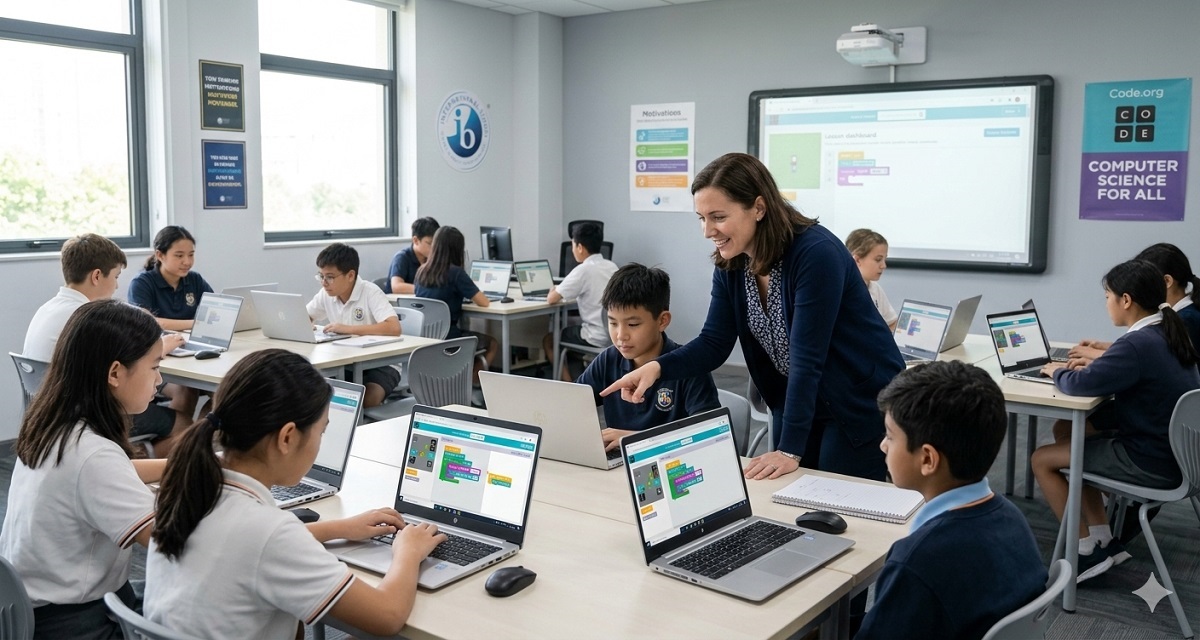
1️⃣ Guided Whole-Class Instruction + Independent Practice
This is one of the most effective models.
-
Teacher introduces the concept using Code.org slides.
-
Key vocabulary and problem-solving processes are explained.
-
Students complete lab activities in pairs or independently.
-
Teacher circulates and supports.
This approach works especially well for:
-
Problem-solving units
-
Foundational coding concepts
-
First-time learners
2️⃣ Partner-Based Lab Model
Some educators pair students for lab work.
Benefits:
-
Collaboration
-
Reduced frustration
-
Peer explanation improves retention
-
Builds communication skills
Partner-based coding can increase engagement, especially during animation or game design units.
3️⃣ Self-Paced Learning Model
For coding-heavy units (e.g., Express Course, Game Lab):
-
Students progress at their own speed.
-
Teacher provides mini-lessons when needed.
-
Stronger students move ahead.
-
Teacher provides targeted intervention for struggling students.
This works well when:
-
Classes are short-term (quarter-based)
-
Students have mixed ability levels
-
Teacher time must be managed carefully
Recommended Starting Points
Many teachers begin with:
-
Problem-Solving Unit
-
Animations and Games
-
Express Course (for introductory coding)
-
Game Lab (for longer creative units)
A structured progression might look like:
-
Quarter 1: Problem-solving + Foundations
-
Quarter 2: Animations and Events
-
Quarter 3: Game Design
-
Advanced students: Transition to Python (CodeHS or similar)
Assessment Strategies
Common grading approaches include:
-
End-of-unit assessments within Code.org
-
Mini-project submissions
-
Interactive journaling
-
Teacher-created quizzes
-
Project-based rubrics
-
Vocabulary assignments
Mini-projects throughout the units often serve as strong formative assessments.
Why Code.org Works Well for New CS Teachers
Several educators note that Code.org provides:
-
Clear lesson slides
-
Structured pacing
-
Built-in labs
-
Talking points
-
Alignment with national standards
-
FREE access
For teachers transitioning from other subjects (math, science, etc.), Code.org offers a structured framework that reduces planning stress.
However, strong implementation requires:
-
Modifying slides
-
Supplementing vocabulary
-
Adding real-world context
-
Teaching pacing explicitly
Common Challenges
-
Students working too far ahead
-
Mixed ability levels
-
Limited access to devices
-
Time constraints (short rotations)
-
Determining grading structure
Successful teachers blend:
-
Guided instruction
-
Clear expectations
-
Structured independence
-
Regular formative feedback
Final Thoughts
Code.org is not a plug-and-play solution.
It is a powerful foundation — but effective Computer Science instruction depends on how it is delivered.
Whether used as a full curriculum or supplement, the key is structured pacing, active monitoring, and thoughtful assessment design.
For schools seeking strong middle school Computer Science programs, hiring educators who understand both curriculum design and classroom implementation makes a significant difference.