AP Computer Science A: Math.random(), Wrapper Classes, Autoboxing and Boolean Methods | Waddy Class 25
-
AP Computer Science A: Math.random(), Wrapper Classes, Autoboxing and Boolean Methods
Learning AP Computer Science A gets much more interesting when individual Java concepts begin connecting to one another.
Math.random()might initially look like nothing more than a convenient way to generate a random decimal, while wrapper classes might seem like an unrelated topic involving strangely capitalized versions of familiar data types. Then methods, casting, Boolean expressions and objects enter the picture, and suddenly you have several ideas competing for attention. The good news is that these topics fit together more naturally than they first appear.In this AP CSA lesson, we begin with Java's
Math.random()method and examine exactly what kind of value it produces. From there, we manipulate that value to generate numbers within specific ranges. That means understanding multiplication, addition and casting rather than memorizing a random-number formula without knowing why it works. We then place the random-number expression inside a Java method, which reinforces method headers, return types, return statements and method calls.The lesson then moves into primitive data types and wrapper classes. We compare
intwithIntegeranddoublewithDouble, explore useful members such asInteger.MIN_VALUEandInteger.MAX_VALUE, and introduce the ideas of boxing, unboxing, autoboxing and auto-unboxing. Finally, Boolean expressions bring several earlier ideas together because an expression or method can evaluate to a value that Java can store in abooleanvariable.Rather than treating these as disconnected vocabulary words, we'll build a mental model for how Java handles values, objects and methods.
Download the Lesson Slides
📘 AP Computer Science A: Math.random(), Wrapper Classes & Boolean Methods — Lesson Slides
Use these slides to review the key AP Computer Science A (AP CSA) concepts covered in the lesson, including
Math.random(), generating randomdoublevalues, generating random integers within an inclusive range, type casting, Java methods, method calls, return values, primitive data types,IntegerandDoublewrapper classes,Integer.MIN_VALUE,Integer.MAX_VALUE, bits, boxing, unboxing, autoboxing, auto-unboxing and Boolean expressions.The slides are especially useful for reviewing how a random-number expression changes one step at a time. Practice tracing the range after the multiplication, cast and addition instead of simply memorizing a formula. You can also use the wrapper-class examples to review the important difference between lowercase primitive types such as
intanddoubleand their corresponding wrapper classes,IntegerandDouble.View / Download the AP CSA Lesson Slides →
Why These Java Concepts Matter in AP CSA
AP CSA questions frequently test whether you can reason about code rather than merely remember syntax. A student might know that
Math.random()exists but still struggle to determine the possible values produced by a larger expression. Likewise, knowing thatIntegeris a wrapper class doesn't automatically mean you understand how it differs from the primitiveint. The important skill is being able to trace what Java does with each expression.Consider this:
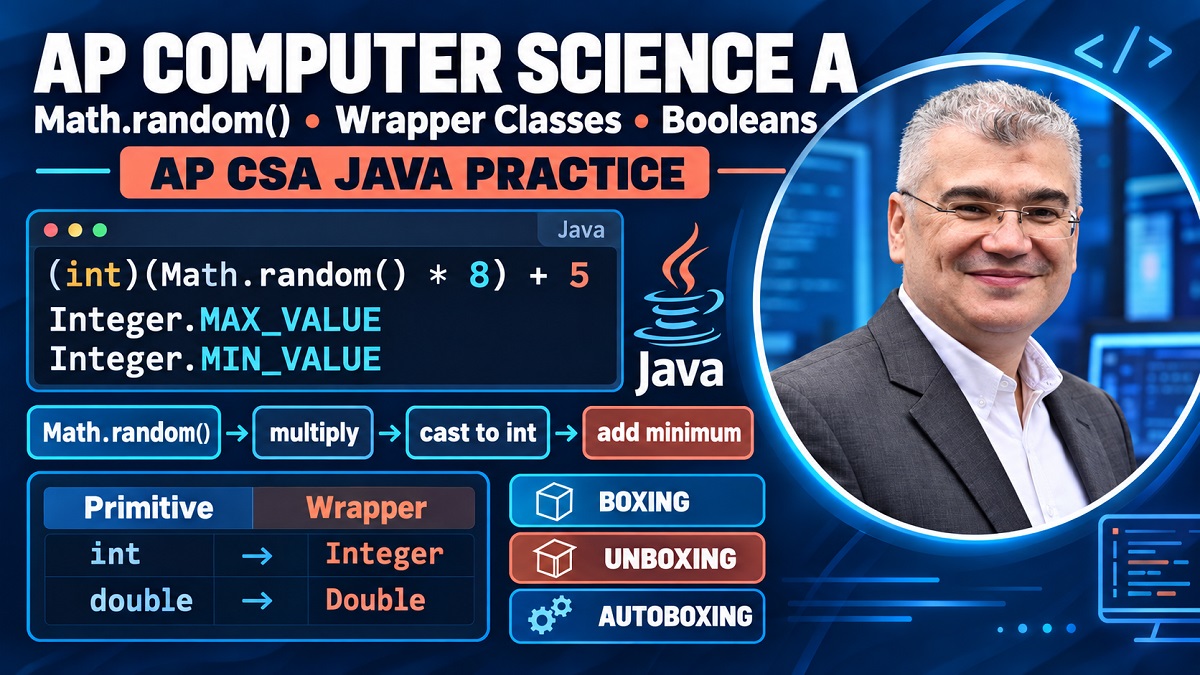
(int)(Math.random() * 8) + 5At first glance, it can look like an arbitrary collection of symbols. Why multiply by eight? Why cast? Why add five? Why are the parentheses placed where they are?
Each part changes the range in a predictable way.
That same analytical habit applies to wrapper classes. Why can something associated with
Integerprovide class functionality while a primitiveintisn't itself an object? Why can a wrapper value be assigned to a primitive variable in modern Java without manually calling a conversion method every time?These questions matter because AP CSA programming isn't about recognizing isolated commands. You're learning to follow data through expressions and methods.
A useful habit throughout this topic is to ask three questions: What is the data type right now? What values are possible right now? What does the next operation do to those possible values?
If you can answer those questions, seemingly complicated Java expressions become far easier to decode.
Understanding Math.random() in Java
Math.random()is a Java method used to generate a pseudorandomdoublevalue. One of the first things you should notice is the parentheses:Math.random()Those parentheses tell you that
randomis being invoked as a method. This becomes important later when we create our own methods. Writing a method name without the required parentheses is not the same as actually invoking that method.For AP CSA purposes, the key property to understand is its range.
Math.random()produces adoublevalue satisfying:0.0 <= value < 1.0The lower endpoint,
0.0, is possible. The upper endpoint,1.0, is excluded.Students sometimes casually describe this as “zero through 0.999,” which can help build an initial intuition, but when reasoning precisely about Java, think of it as 0.0 inclusive to 1.0 exclusive.
Why is this useful?
Because once you know the starting range, multiplication and addition let you transform it.
Suppose Java gives you:
0.25or:
0.81Those numbers aren't especially useful if your program needs a value in a completely different interval. But multiplying stretches the range, while adding shifts it.
That simple observation is the foundation of almost every
Math.random()range question.The Range Produced by Math.random()
Imagine the output as a point on a number line beginning at zero and stopping just before one.
Now multiply by eight:
Math.random() * 8The range stretches to:
0.0 <= value < 8.0Now add five:
Math.random() * 8 + 5The entire range shifts upward:
5.0 <= value < 13.0This gives us a powerful way to reason about random expressions without guessing.
Multiplication controls the width of the range.
Addition controls where that range begins.
That's the underlying idea behind the lesson's random-number examples.
If you understand those transformations, you don't need to treat every random-number question as a brand-new formula. You can derive the expression by thinking about the interval you need.
Generating Random double Values in a Specific Range
Suppose you want a random
doublebeginning at a lower value and extending toward a higher boundary.A useful general structure is:
Math.random() * (high - low) + lowThink about what each piece accomplishes.
Math.random()begins with a width of one.Multiplying by:
(high - low)stretches that interval to the desired width.
Adding:
lowmoves the beginning of the interval from zero to the desired lower bound.
For example, suppose you want values beginning at
7.0and remaining below15.0.The width is:
15 - 7 = 8so:
Math.random() * 8 + 7produces values in:
7.0 <= value < 15.0The most useful part of this exercise isn't memorizing
* 8 + 7. It's recognizing where those two numbers came from.The
7establishes the starting point.The
8establishes the width.When an AP CSA question gives you different endpoints, rebuild the expression from those two ideas rather than trying to recall an example from memory.
That approach is more reliable because even if the numbers change completely, the reasoning doesn't.
Generating Random Integers with Math.random()
Generating integers introduces one additional challenge:
Math.random()returns adouble.Suppose we write:
Math.random() * 100The possible values begin at
0.0and remain below100.0.But if we cast the result:
(int)(Math.random() * 100)Java converts the
doubleresult to anint. For the nonnegative values involved here, the fractional portion is discarded.For example:
73.82 → 73and:
99.91 → 99Therefore:
(int)(Math.random() * 100)can produce integer values:
0 through 99Notice that
100itself cannot appear.That's one of the most important details in random-integer questions.
Multiplying by
100does not mean that the possible integers are automatically0through100.The exclusive upper boundary matters.
Why Casting Changes the Result
Casting isn't rounding.
That's an important distinction.
Consider:
(int)7.99The result is:
7not
8.In the nonnegative random-number examples used here, the cast removes the decimal portion.
Now consider:
(int)(Math.random() * 8)Before the cast, the range is:
0.0 <= value < 8.0After casting, the possible integers are:
0, 1, 2, 3, 4, 5, 6, 7There are exactly eight possibilities.
That's why multiplying by eight becomes useful when we need eight consecutive integer outcomes.
The cast isn't an arbitrary syntax requirement. It transforms a continuous range of
doublevalues into discrete integer possibilities.How to Generate an Integer from 5 Through 12
Now let's apply the reasoning from the lesson.
We want the possible integers:
5, 6, 7, 8, 9, 10, 11, 12How many possibilities are there?
Eight.
Start with:
(int)(Math.random() * 8)That gives:
0 through 7Now add five:
(int)(Math.random() * 8) + 5Every possible result shifts upward by five:
5 through 12You can verify the endpoints instead of trusting the formula blindly.
At the lowest end,
Math.random()can produce0.0:0.0 * 8 = 0.0 (int)0.0 = 0 0 + 5 = 5At the upper end, the value before casting can approach eight without reaching it. Casting therefore produces at most
7:7 + 5 = 12So the expression does exactly what we need.
For an inclusive integer range from
lowthroughhigh, the number of possible integer values is:high - low + 1That
+1is easy to forget.For
5through12:12 - 5 + 1 = 8and that explains the multiplier.
Putting Random Number Generation Inside a Java Method
The transcript doesn't stop at writing the random expression directly inside
main. Instead, the exercise asks for a method that returns the generated integer.That's useful because it combines two AP CSA concepts in one task.
Conceptually:
public static int genInt()
{
    int randomNumber = (int)(Math.random() * 8) + 5;
    return randomNumber;
}
The return type is:
intbecause the method promises to return an integer.
The method name is:
genIntand the empty parentheses indicate that this particular method doesn't require arguments.
Inside, the random number is calculated and stored.
Then:
return randomNumber;sends the result back to the caller.
You can then invoke the method:
genInt()or store its returned value:
int number = genInt();The parentheses matter. A method invocation uses parentheses even when there are no arguments to pass.
This also reinforces a useful visual clue when reading unfamiliar Java code: when you see an identifier followed by parentheses, you're often looking at a method invocation.
Why a Non-void Method Must Return a Value
Suppose you declare:
public static int genInt()The
intbefore the method name is a promise.You're telling Java that this method returns an integer.
If the method calculates a random integer but never returns it, the method hasn't fulfilled that contract.
That's why the lesson encounters an error until a return statement is added.
Compare that with:
public static void doSomething()voidmeans the method doesn't return a value.This is a distinction worth checking every time you write a method:
What is the declared return type?
If it isn't
void, your method needs to produce a compatible returned value along the appropriate execution path.Don't confuse calculating a value with returning it. A local variable can hold the perfect answer, but unless that result is returned when required, the caller doesn't receive it as the method's return value.
Primitive Data Types vs Wrapper Classes
The next major idea in the lesson is the difference between Java primitive types and wrapper classes.
You've already worked with primitives such as:
int
double
boolean
char
The lesson focuses particularly on:
int
double
Java also provides corresponding wrapper classes:
Integer
Double
Notice the capitalization.
intand:
Integerare not simply two spellings of the same thing.
Likewise:
doubleand:
Doublerepresent different kinds of types.
The primitive stores a primitive value. The wrapper type is a class, which means it participates in Java's object-oriented system and provides class-related functionality.
This helps explain why wrapper classes expose useful members that aren't accessed through a primitive in the same way.
If this initially feels like Java has made a simple idea unnecessarily complicated, focus on the conceptual difference first:
primitive → basic value type
wrapper → class/object representation associated with that primitive type
Once you later work more extensively with objects and collections, the reason wrapper classes exist becomes easier to appreciate.
Understanding the Integer Wrapper Class
Integeris the wrapper class associated with primitiveint.Capitalization is your first clue:
int
Integer
The lesson demonstrates that the class provides useful members such as:
Integer.MIN_VALUEand:
Integer.MAX_VALUEThese let you examine the smallest and largest values representable by Java's
inttype.This also illustrates something larger about classes. Classes can package useful functionality and information related to the type they represent.
If you're using an IDE and working with an
Integerreference, typing a dot may display available members. That feels different from working directly with a primitiveint, because the wrapper is a class type.This is a useful bridge into object-oriented programming.
You're beginning to see that objects and classes aren't only things you create for custom programs. Java's standard library already provides many classes that package useful behavior.
Integer.MIN_VALUE and Integer.MAX_VALUE
The lesson asks the student to print:
Integer.MIN_VALUEand:
Integer.MAX_VALUEThese represent the boundaries of Java's
intrange.For a standard Java
int, those values are:-2147483648and:
2147483647respectively.
Why isn't the positive maximum simply the same magnitude as the negative minimum?
That question connects to how signed integers are represented in binary, although the lesson intentionally doesn't go deeply into binary representation.
For AP CSA purposes here, the important point is that an
inthas a fixed range. You cannot assume that an integer variable can hold a number of unlimited size.Integer.MIN_VALUEandInteger.MAX_VALUEmake those boundaries accessible through the wrapper class.This is also a great example of why understanding
Integeras a class is useful: the class provides information and functionality associated with integer values.Understanding Bits and Java int Storage
The wrapper-class discussion briefly opens the door to computer memory.
A bit is a binary digit that can represent one of two states:
0or:
1The lesson relates these states to the underlying binary nature of digital computing. While Java programmers usually work at a much higher level than electronic circuits, knowing that computer data ultimately has a binary representation helps explain why numeric types have fixed sizes and ranges.
A Java
intuses 32 bits.That doesn't mean you need to start converting every AP CSA integer into binary by hand. The point is to understand that Java allocates a fixed-width representation for this primitive type.
With a fixed number of bits, only a finite number of distinct patterns can exist. Therefore, there must be limits on the integer values that can be represented.
That's the conceptual connection between:
32-bit
intstorageand:
Integer.MIN_VALUE/Integer.MAX_VALUEThe lesson deliberately keeps the hardware discussion brief because AP CSA is primarily a programming course, but this background gives the wrapper-class constants more meaning.
Understanding the Double Wrapper Class
The same primitive-versus-wrapper relationship exists for
double.Primitive:
doubleWrapper class:
DoubleSuppose you have a wrapper object containing a decimal value. The lesson introduces the idea of obtaining the corresponding primitive value through functionality such as:
doubleValue()Likewise, with an
Integerwrapper, you can obtain anintvalue using:intValue()The important pattern is more valuable than memorizing isolated lines:
int ↔ Integer
double ↔ Double
Primitive on one side.
Wrapper class on the other.
Once that pairing becomes familiar, boxing and unboxing become easier to understand because those terms simply describe movement between the primitive and wrapper representations.
Boxing and Unboxing in Java
Boxing describes converting or representing a primitive value as an object of its corresponding wrapper type.
Conceptually, you're taking a basic primitive value and putting it into its wrapper representation.
Unboxing goes in the opposite direction.
You're obtaining the primitive value from the wrapper representation.
The lesson demonstrates explicit methods such as:
intValue()and:
doubleValue()For example, conceptually:
Integer a = 5; int x = a.intValue();ais associated with the wrapper typeInteger, whilexis a primitiveint.An important observation from the lesson is that obtaining the primitive value doesn't “empty” the wrapper. If you copy the value into another variable, the original wrapper still represents its value.
Think of copying information rather than physically moving an object out of one container and leaving it empty.
That mental model prevents a common beginner misunderstanding.
Autoboxing and Auto-Unboxing
Java can often perform these conversions automatically.
For example:
Integer a = 5;illustrates autoboxing: Java handles the conversion from the primitive literal into the corresponding wrapper representation.
Then:
int y = a;can use auto-unboxing.
You don't necessarily need to write:
int y = a.intValue();for ordinary assignment in this situation because Java can perform the conversion automatically.
This convenience is valuable because it allows wrapper values and primitive values to interact without forcing you to write explicit conversion calls everywhere.
But don't let the convenience hide what's conceptually happening.
Ask yourself:
Is this variable a primitive
int?Or is it an
Integerwrapper reference?Understanding the distinction is more important than whether Java happens to automate the conversion in a particular statement.
The same principle applies to:
doubleand:
DoubleOnce you understand the pairings, autoboxing stops looking like magic. Java is simply helping perform a conversion that you could otherwise think about more explicitly.
Boolean Expressions and Boolean-Returning Methods
The lesson ends by connecting expressions and methods to the
booleandata type.A Boolean value has two possibilities:
true
false
Consider:
int age = 22;
boolean minor = age < 21;
Before Java can assign anything to
minor, it evaluates:age < 21With
ageequal to22, the expression becomes conceptually:22 < 21That's false.
Therefore:
minorstores:
falseNotice that assigning the result doesn't automatically print anything. Storing a value and displaying a value are different actions.
You could later write:
System.out.println(minor);to display it.
The lesson also examines a hypothetical method such as:
isPrime(99)Even without seeing its implementation, the naming convention suggests that it asks a true-or-false question.
A method beginning with
isoften communicates Boolean intent:isPrime(...) isValid(...) isEmpty(...)The method call can then produce a Boolean result that is stored:
boolean result = isPrime(99);This brings us back to the earlier lesson on return values. A method can return an
int, adouble, aboolean, an object reference or another compatible type depending on its declaration.Common AP CSA Mistakes to Avoid
Several mistakes from this topic are especially easy to make because the code often looks almost correct.
The first is forgetting the range of
Math.random(). It starts at0.0but doesn't reach1.0. That exclusive upper boundary affects every random-number expression built from it.The second is forgetting the
+1when generating integers over an inclusive interval. From5through12, there are eight possible integers, not seven.The third is treating a cast like rounding. In the positive examples used here:
(int)7.99becomes
7, not8.Another mistake is declaring a method with a non-
voidreturn type and forgetting to return the required value.Watch method calls too. If a method takes no arguments, you still invoke it with parentheses:
genInt()not merely:
genIntFinally, pay attention to capitalization:
intisn't the same type name as:
Integerand:
doubleisn't the same type name as:
DoubleThose uppercase names represent wrapper classes, while the lowercase names are primitive types.
Conclusion and AP CSA FAQs
This lesson connects several concepts that you'll continue seeing throughout AP Computer Science A.
Math.random()teaches you to reason carefully about numeric ranges. Casting shows how Java converts one numeric type into another. Writing a random-number generator as a method reinforces return types, method calls andreturnstatements. Wrapper classes then extend your understanding from primitive values into Java's object-oriented world.The most useful strategy is to avoid memorizing code without understanding its transformations. If you see:
(int)(Math.random() * 8) + 5trace it one stage at a time. Start with the range of
Math.random(), multiply the endpoints conceptually, consider what the cast does, and finally apply the offset. You can use the same step-by-step mindset when tracing boxing, unboxing and Boolean expressions.1. What range does Math.random() generate?
Math.random()returns adoublevalue greater than or equal to0.0and less than1.0. In mathematical notation:0.0 <= Math.random() < 1.0The upper endpoint is not included.
2. How do you generate a random integer from 5 through 12?
A suitable expression is:
(int)(Math.random() * 8) + 5There are eight integers from 5 through 12 inclusive. The cast produces
0through7, and adding five shifts those possibilities to5through12.3. What is the difference between int and Integer in Java?
intis a primitive type.Integeris the corresponding wrapper class. The wrapper representation participates in Java's object system and provides class-related functionality.4. What are boxing and unboxing?
Boxing converts or represents a primitive value using its corresponding wrapper type. Unboxing obtains the primitive value from the wrapper. Java can also perform these operations automatically in many situations through autoboxing and auto-unboxing.
5. Can a Java method return a boolean?
Yes. A method can be declared with a
booleanreturn type and return eithertrueorfalse. Methods with names such asisPrime,isValidorisEmptycommonly communicate that they answer a Boolean question.
Author Bio
Cambridge Computer Science Tutor Author Bio
Ahmed Elmalla is a Computer Science educator, Certified Cambridge International AS & A Level Computer Science (9618) teacher, and software engineer with over 20 years of teaching, software engineering, and international tutoring experience. He specializes in AP Computer Science A (Java) and Cambridge IGCSE (0478) and AS & A Level Computer Science (9618), helping students build strong programming, computational thinking, and exam-solving skills. Through his Learn with Kemo platform, he has mentored students from around the world using practical, exam-focused instruction tailored to each learner's needs. His lessons combine real-world software engineering experience with personalized one-to-one tutoring, making complex Java and Computer Science concepts easier to understand. Ahmed is passionate about helping students gain confidence, improve academic performance, and achieve outstanding results in international Computer Science examinations.
LinkedIn: https://www.linkedin.com/in/akelmalla
WhatsApp: https://wa.me/60194028484
1.png)
.png)
.png)