
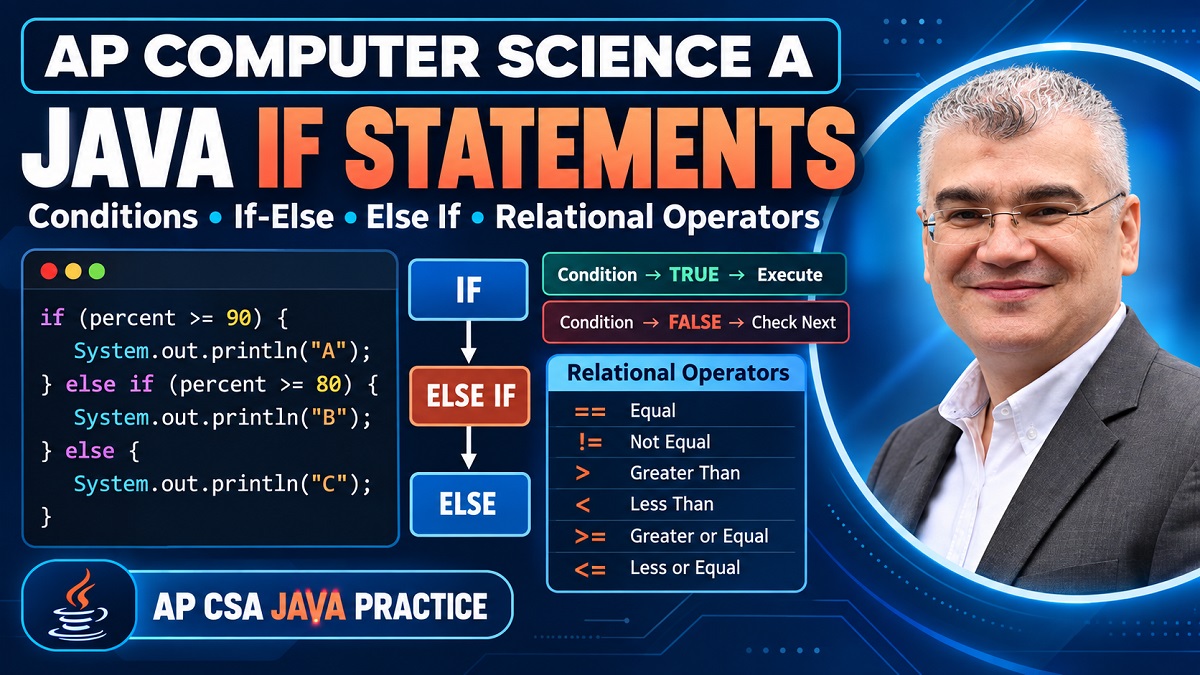
AP Computer Science A: Java If Statements, Else If and Relational Operators | Waddy Class 26
-
AP Computer Science A: Java If Statements, Else If and Relational Operators
Writing a Java program becomes much more interesting once your code can make decisions. Before conditional statements, a program often feels like a straight road: Java starts at the top, executes one statement after another, and eventually reaches the end. But real programs rarely behave that way. A university application can be accepted or denied. A student's percentage can produce an A, B, C, D, or failing result. A competition participant might receive gold, silver, bronze, or no medal at all. To program situations like these, you need conditional logic, and that makes Java
ifstatements one of the most important foundations in AP Computer Science A.In this AP CSA tutoring session, we moved from relational and equality operators into the different ways Java can make decisions. We examined conditions that evaluate to
trueorfalse, basicifstatements, several independentifstatements,if-else, andif-else-ifchains. More importantly, the lesson focused on something students sometimes overlook: knowing the syntax of anifstatement isn't enough. You need to know which conditional structure fits the problem you're trying to solve.That distinction becomes especially clear with the grading example from the lesson. If a student scores 90 and you write several independent conditions checking whether the score is at least 90, at least 80, at least 70, and at least 60, several conditions are true. Java doesn't automatically know you intended to award only one grade. Your program's structure has to express that rule.
This guide walks through those ideas step by step so you can read, trace, and eventually write conditional Java code with much more confidence.
Why Conditional Logic Matters in AP CSA
Think about how many everyday decisions depend on conditions. If your phone battery falls below a certain percentage, you charge it. If a password matches, a user gets access. If a student's mark reaches a threshold, a particular grade is awarded. If a competitor finishes first, second, or third, that person receives a medal. Programming needs a way to express the same type of decision-making, and Java does this through Boolean expressions and conditional statements.
At the center of a conditional statement is a question that Java can answer with either
trueorfalse. For example, imagine that a variable calledagestores a person's age. A program could testage < 21. Java evaluates that expression and produces a Boolean result. Ifagecontains 18, the expression is true. Ifagecontains 25, it is false. The program can then use that result to determine which statements should execute.This is why conditional logic is sometimes easier to understand if you picture a road splitting into different paths. The program reaches a decision point, evaluates a condition, and then follows the appropriate path. That road analogy was used throughout the tutoring session because it captures the core idea nicely: a condition changes the flow of execution.
The challenging part comes when there are several possible paths. Should every condition be checked independently? Should exactly one of two alternatives execute? Should Java check several possibilities but stop as soon as it finds the first matching one? Those questions determine whether you need independent
ifstatements,if-else, or anif-else-ifchain.Understanding that difference is far more valuable than simply memorizing where the curly braces go.
Understanding Boolean Conditions in Java
Every useful
ifstatement needs a condition that Java can evaluate as true or false. That's the bridge between an ordinary calculation and a decision.Consider:
int age = 22;
boolean minor = age < 21;
The expression:
age < 21is evaluated first. Because 22 is not less than 21, its value is
false, sominorreceivesfalse.This same kind of expression can appear directly inside an
ifstatement:if (age < 21) { System.out.println("Minor"); }Now Java evaluates the condition. If it is true, the statements inside the braces execute. If it is false, Java skips that block and continues after it.
This true-or-false requirement is fundamental. An
ifstatement needs a Boolean condition because Java has to make a yes-or-no decision before it can choose what code to execute.The tutoring session builds this idea using comparisons such as whether one number equals another, whether one value is greater than another, and whether a value is less than or equal to a particular threshold.
When you're reading an AP CSA question, try translating the condition into an ordinary sentence before tracing it. For example:
percent >= 90becomes:
“Is percent greater than or equal to 90?”
Once you can answer that question, you know whether the associated code block executes.
Relational and Equality Operators Explained
Java provides several operators for building these conditions:
Operator Meaning Example ==equal to x == y!=not equal to x != y<less than x < y>greater than x > y<=less than or equal to x <= y>=greater than or equal to x >= ySuppose:
int x = 2;
int y = 3;
Then:
x == yis false because 2 and 3 are different.
But:
x != yis true because they are not equal.
The difference between
>and>=is especially important around boundary values. If:int y = 3;then:
y > 3is false, while:
y >= 3is true.
That single equals sign changes the result at the boundary.
Also pay attention to
==. It means comparison, not assignment. Java uses a single equals sign,=, when assigning a value:int x = 5;and
==when asking whether two values are equal:x == 5These symbols may look similar, but they perform completely different jobs.
Operator Precedence Inside Java Conditions
Conditions aren't always as simple as:
x < 5Sometimes arithmetic appears inside the expression:
2 + 4 * 3 < 15How should Java evaluate this?
You don't simply move from left to right. Arithmetic precedence still applies. Multiplication happens before addition:
4 × 3 = 12then:
2 + 12 = 14and finally Java evaluates:
14 < 15which is:
trueThe tutoring session explicitly traces this type of expression, with the student correctly identifying that multiplication must occur before addition.
For AP CSA tracing questions, this means you shouldn't rush directly toward the comparison operator. First calculate the arithmetic expression correctly. Then compare the resulting values.
A useful mental process is:
Calculate → Compare → Decide → Execute
First simplify arithmetic. Next evaluate the relational or equality expression. That gives you
trueorfalse. Then use that Boolean result to determine whether the associated statement executes.Breaking a complicated condition into those stages dramatically reduces mistakes.
How a Basic Java If Statement Works
The simplest conditional structure is a single
ifstatement:if (condition) { // statements }Java evaluates
condition. If the result istrue, the statements inside the braces execute. If the condition isfalse, the entire block is skipped.For example:
double gpa = 2.1;

if (gpa >= 2.0) {
    System.out.println("Application accepted");
}
Because:
2.1 >= 2.0is true, the message is printed.
If the GPA were:
double gpa = 1.0;then the condition would be false and Java would skip the block.
A basic
ifstatement therefore does not guarantee that something will happen. Its block may execute, or it may not.That's an important difference between a standalone
ifandif-else. With a standaloneif, there is no required alternative. Java simply checks the condition and decides whether the block should execute.This makes standalone
ifstatements ideal for optional actions. Imagine a program checking whether several independent warnings should appear. A low-battery warning could display if the battery is low, while a storage warning could independently display if storage is low. Both could appear, one could appear, or neither could appear.That's exactly where independent conditional checks become useful.
Understanding Independent If Statements
Now imagine writing several
ifstatements:if (condition1) { statement1; } if (condition2) { statement2; } if (condition3) { statement3; }These conditions are independent.
Java doesn't stop after
condition1becomes true. It executes the first block and then continues to the secondif, where it performs another test. It then moves to the third.That means several outcomes are possible.
All three blocks could execute.
Only one could execute.
Two could execute.
None could execute.
The lesson uses a health-check analogy to explain this structure. Imagine checking whether someone has a heart-related issue, a blood-pressure issue, and an oxygen-level issue. These are separate questions. Having one problem doesn't logically prevent another from also being true. Likewise, it is possible for all checks to be false.
Independent
ifstatements work beautifully when the conditions represent independent possibilities.They become problematic when the outcomes are supposed to be mutually exclusive.
And that distinction is exactly what the grading example exposes.
Why Multiple If Statements Can All Execute
Suppose you try to assign letter grades using this code:
int percent = 90;

if (percent >= 90) {
    System.out.println("You got an A");
}

if (percent >= 80) {
    System.out.println("You got a B");
}

if (percent >= 70) {
    System.out.println("You got a C");
}

if (percent >= 60) {
    System.out.println("You got a D");
}
At first glance, it might look reasonable.
A score of 90 satisfies the A condition, so Java prints:
You got an ABut Java doesn't stop.
It checks:
percent >= 80That's also true.
Then:
percent >= 70also true.
And:
percent >= 60also true.
So the student can receive A, B, C, and D messages from the same score. That's precisely the problem explored in the tutoring session.
The conditions themselves aren't necessarily mathematically wrong. The structure is wrong for the problem.
A student is supposed to receive one letter grade, not every threshold they exceed. Therefore, the program needs a structure that stops once the appropriate category is found.
This is where
else ifbecomes essential.How Java If-Else Statements Work
An
if-elsestatement represents two alternative paths:if (condition) { // runs when condition is true } else { // runs when condition is false }Unlike a standalone
if, one of these two branches will execute.The session uses a university admission example to make this distinction clear. A GPA condition determines whether the application is accepted or denied. In that simplified example, there are only two outcomes: acceptance or denial.
For example:
double gpa = 2.1;

if (gpa >= 2.0) {
    System.out.println("Welcome to Mars University");
} else {
    System.out.println("Application denied");
}
If
gpa >= 2.0is true, Java prints the welcome message and skips theelse.If it is false, Java skips the first block and executes the
else.Notice that
elsedoesn't have another condition:elserather than:
else (something)That's because
elsemeans, conceptually:“If the previous condition wasn't true, do this instead.”
The two blocks are mutually exclusive. Java won't execute both branches during the same evaluation of this structure.
That makes
if-elsea natural choice when the problem truly contains two alternatives.Choosing Between If and If-Else
A useful question is:
Must one of the available actions always happen?
If the answer is no, a standalone
ifmay be enough.For example:
if (temperature > 30) {
    System.out.println("High temperature warning");
}
If the temperature isn't above 30, perhaps the program doesn't need to say anything.
But imagine:
if (passwordCorrect) {
    System.out.println("Access granted");
} else {
    System.out.println("Access denied");
}
Here there are two explicit outcomes.
The tutoring session compares
if-elseto situations where there is no middle ground. In its university example, the applicant is either welcomed or denied under the simplified rule. The session also uses a two-sided choice analogy to emphasize that exactly one path is taken.So don't select a structure simply because you're comfortable typing it. Ask what the problem requires.
If an action is optional, consider
if.If exactly one of two outcomes must occur, consider
if-else.If one outcome must be selected from several mutually exclusive possibilities, you will often need an if-else-if chain.
That third situation is especially important in AP CSA.
Understanding Java Else-If Chains
An
if-else-ifchain allows Java to examine several alternatives in order:if (condition1) { // first outcome } else if (condition2) { // second outcome } else if (condition3) { // third outcome } else { // fallback outcome }The important difference from independent
ifstatements is that these conditions belong to one connected decision structure.Java begins with the first condition.
If it is true, Java executes that branch and skips the remaining branches in the chain.
If it is false, Java checks the next condition.
If that condition is true, its branch executes and the remaining branches are skipped.
If every previous condition is false and an
elseexists, theelsebranch executes.The lesson introduces this structure after demonstrating why independent
ifstatements fail for the grade problem. A student should receive a distinct grade, so once the appropriate category is found, the program should not continue awarding lower grades.This is the conceptual difference you want to remember:
Independent
ifstatements ask several separate questions.An
if-else-ifchain asks one multi-option question.Once you see it that way, choosing between the structures becomes much easier.
Why an Else-If Chain Stops After the First Match
Suppose:
int percent = 90;

if (percent >= 90) {
    System.out.println("A");
} else if (percent >= 80) {
    System.out.println("B");
} else if (percent >= 70) {
    System.out.println("C");
} else if (percent >= 60) {
    System.out.println("D");
} else {
    System.out.println("F");
}
The first condition is true:
percent >= 90So Java prints:
AThen it skips the remainder of that chain.
It does not test the B, C, D, and F branches.
That's why ordering matters.
If you accidentally put:
percent >= 60first, then a score of 90 satisfies that condition immediately. Java would select that branch before ever reaching the A condition.
When conditions overlap, place them in an order that correctly separates the categories. For a descending grade scale like the one used in the lesson, checking the highest threshold first provides that separation.
The code is essentially saying:
“Is it at least 90? If not, is it at least 80? If not, is it at least 70?”
Each later question is asked only because all earlier questions were false.
Building a Java Letter Grade Program Correctly
The grading example is one of the most useful parts of the lesson because it demonstrates that code can be syntactically valid while still implementing the wrong logic.
The independent version causes overlapping outputs because 90 isn't only greater than or equal to 90. It's also greater than or equal to 80, 70, and 60.
The corrected structure is:
int percent = 90;

if (percent >= 90) {
    System.out.println("You got an A");
} else if (percent >= 80) {
    System.out.println("You got a B");
} else if (percent >= 70) {
    System.out.println("You got a C");
} else if (percent >= 60) {
    System.out.println("You got a D");
} else {
    System.out.println("You got an F");
}
Now exactly one branch executes.
Try tracing a score of 77.
Is:
77 >= 90true? No.
Is:
77 >= 80true? No.
Is:
77 >= 70true? Yes.
Java prints the C message and leaves the chain.
This example demonstrates a broader programming principle: your control structure should reflect the relationship between the possible outcomes.
If outcomes are mutually exclusive, your code should prevent several mutually exclusive outcomes from executing together.
That is the real lesson behind the grade program.
Positive, Negative or Zero with If-Else-If
Another example from the tutoring session classifies a number as positive, negative, or zero.
These categories are mutually exclusive.
A value cannot simultaneously be greater than zero and less than zero. If neither of those conditions is true, the remaining possibility is zero.
That naturally produces:
int x = 10;

if (x > 0) {
    System.out.println("Positive");
} else if (x < 0) {
    System.out.println("Negative");
} else {
    System.out.println("Zero");
}
With:
x = 10;the first condition is true, so Java prints
Positive.With:
x = -5;the first condition is false, the second is true, and Java prints
Negative.With:
x = 0;both comparisons are false:
0 > 0is false, and:
0 < 0is false.
So Java reaches:
elseand prints
Zero.This is a great example of when a final
elsemakes sense because the earlier tests cover all possibilities except one. If a number isn't positive and isn't negative, it must be zero.The lesson explicitly traces changing
xfrom 10 to 0 and identifying why the zero branch executes.When an Else Statement Is Not Needed
Not every
if-else-ifchain needs a finalelse.Consider a competition that awards medals only to the first three positions.
You could write:
if (place == 1) {
    System.out.println("Gold medal");
} else if (place == 2) {
    System.out.println("Silver medal");
} else if (place == 3) {
    System.out.println("Bronze medal");
}
What happens if:
place = 10;The first condition is false.
The second is false.
The third is false.
Then Java simply continues after the entire conditional structure. Nothing is printed by those branches.
And that can be exactly what you want.
The tutoring session emphasizes this distinction because a competitor outside the top three doesn't necessarily need a fourth alternative medal. Only first, second, and third receive medals.
This is different from the positive/negative/zero example, where the three possibilities collectively cover every numeric value.
So don't add
elseautomatically.Ask:
Does the problem define a required fallback action when none of the conditions match?
If yes, an
elsemay be appropriate.If no, the chain can finish without one.
Using Conditional Logic for a Medal Program
The medal example gives us another clean way to understand mutually exclusive decisions.
Imagine:
int place = 2;

if (place == 1) {
    System.out.println("Gold medal");
} else if (place == 2) {
    System.out.println("Silver medal");
} else if (place == 3) {
    System.out.println("Bronze medal");
}
Java starts by asking:
place == 1Because
placeis 2, that's false.Next:
place == 2is true.
Java prints:
Silver medaland skips the third branch.
The transcript ends with the student running this style of program and obtaining the silver-medal output.
Now compare this structure with three independent
ifstatements. In this particular equality example, a single integer can't equal 1, 2, and 3 simultaneously, so independent statements might happen to produce one output. But theelse-ifstructure communicates something important about the problem: these are alternative outcomes within one decision.That design intent matters as programs become larger.
Programming isn't only about making today's test value produce the right output. Good control flow should also express the logical relationship between the conditions clearly enough that you can reason about the program later.
Common AP CSA If-Statement Mistakes
One of the biggest mistakes is assuming that several
ifstatements automatically behave like anif-else-ifchain.They don't.
With independent statements:
if (...) { ... }
if (...) { ... }
if (...) { ... }
Java checks every condition.
With:
if (...) {
    ...
} else if (...) {
    ...
} else if (...) {
    ...
}
Java stops within that chain after the first matching branch.
The grading example from the session demonstrates why this difference matters: independent threshold checks can produce A, B, C, and D for the same score.
Another common mistake is mishandling boundaries. Ask yourself what should happen at exactly 90, 80, or 70. Choosing
>instead of>=changes those boundary cases.Students can also confuse assignment and equality. Remember:
=assigns a value, while:
==tests equality.
Another mistake is automatically attaching
elseto every chain. The medal example shows that sometimes none of the branches executing is a valid outcome.Finally, don't look only at what a condition says. Look at its relationship with the conditions around it. Two conditions may each be perfectly reasonable on their own while producing incorrect behaviour when combined badly.
That's why tracing remains such an important skill.
How to Trace Conditional Statements on the AP CSA Exam
When you see conditional code, don't guess what it “looks like” it should do. Trace it mechanically.
First, write down the current values of the relevant variables.
Suppose:
int percent = 90;Next, evaluate the first condition by replacing the variable mentally with its value:
90 >= 90That's true.
Now inspect the structure.
If this is an independent
if, execute the block and continue tracing subsequent independent conditions.If this is the first branch of an
if-else-ifchain, execute the block and skip the rest of that chain.That distinction alone can completely change the output.
A reliable tracing routine is:
1. Identify the variable values.
2. Evaluate the condition to true or false.
3. Identify whether you're looking at an independent
ifor a connected chain.4. Execute only the branch or branches permitted by that structure.
5. Update any variables changed inside the executed code.
6. Continue from the correct next statement.
The tutoring session repeatedly traces code in exactly this spirit: evaluating the condition, deciding which statement executes, changing values, and running the logic again.
The more systematic your tracing becomes, the less conditional code feels like a puzzle.
Conclusion
Java conditional statements aren't difficult because there are many keywords. The vocabulary is actually small:
if,else if, andelse. The real challenge is deciding which structure accurately represents the relationship between your conditions.Start with the Boolean expression. Relational and equality operators such as
==,!=,<,>,<=, and>=allow Java to produce the true-or-false result needed for a decision.Then think about the possible outcomes.
If an action should happen only when one condition is true, a standalone
ifmay be enough.If exactly one of two alternatives must happen,
if-elseis a natural fit.If several independent conditions can all be true, separate
ifstatements may be appropriate.If you're selecting one result from several mutually exclusive possibilities, an
if-else-ifchain is usually a much better representation.The grading program makes that distinction memorable. A score of 90 satisfies several lower thresholds mathematically, but a student shouldn't receive four letter grades. Connecting the conditions through
else ifensures the program stops at the first appropriate category.Once you start asking “Can several of these outcomes happen together, or should only one happen?”, Java conditional statements become much easier to design and trace.
AP CSA Java If Statements FAQs
1. What is the difference between
ifandelse ifin Java?An independent
ifis tested whenever program execution reaches it. Anelse ifbelongs to an existing conditional chain and is tested only when the earlier branch or branches in that chain were false.2. Can multiple Java
ifstatements execute?Yes. If you write several independent
ifstatements and several conditions are true, multiple blocks can execute. This is why the grading example in the lesson produced several grade messages before being redesigned as anif-else-ifchain.3. Does an
if-else-ifstatement always need anelse?No. If none of the conditions match and there is no final
else, Java simply continues after the conditional structure. The medal example demonstrates a situation where this can be appropriate because competitors outside the top three don't receive a medal.4. What is the difference between
=and==in Java?A single equals sign assigns a value, such as
x = 5. Double equals compares values for equality, such asx == 5. Conditions commonly use comparison operators because they need a Boolean result.5. When should I use
if-else-ifinstead of several separateifstatements?Use an
if-else-ifchain when the conditions represent alternative outcomes and you want the first matching branch to determine the result. Separateifstatements are useful when the conditions are independent and several actions are allowed to occur.
Author Bio
Cambridge Computer Science Tutor Author Bio
Ahmed Elmalla is a Computer Science educator, Certified Cambridge International AS & A Level Computer Science (9618) teacher, and software engineer with over 20 years of teaching, software engineering, and international tutoring experience. He specializes in AP Computer Science A (Java) and Cambridge IGCSE (0478) and AS & A Level Computer Science (9618), helping students build strong programming, computational thinking, and exam-solving skills. Through his Learn with Kemo platform, he has mentored students from around the world using practical, exam-focused instruction tailored to each learner's needs. His lessons combine real-world software engineering experience with personalized one-to-one tutoring, making complex Java and Computer Science concepts easier to understand. Ahmed is passionate about helping students gain confidence, improve academic performance, and achieve outstanding results in international Computer Science examinations.
LinkedIn: https://www.linkedin.com/in/akelmalla
WhatsApp: https://wa.me/60194028484
.png)
.png)
.png)