
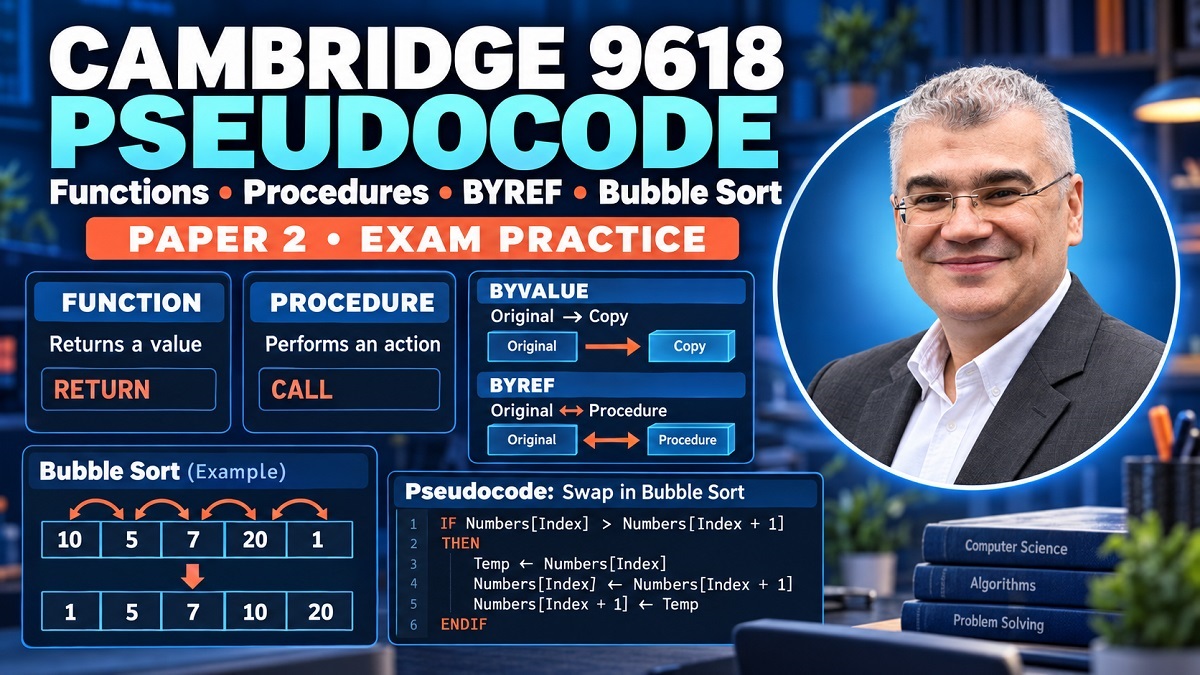
Cambridge 9618 Pseudocode: Functions, Procedures, BYREF, BYVALUE and Bubble Sort Explained | Hannan Class 4
-
Cambridge 9618 Pseudocode: Functions, Procedures, BYREF, BYVALUE and Bubble Sort Explained
Cambridge 9618 pseudocode can feel straightforward when you're looking at a completed answer, but writing the same solution independently in an exam is another challenge entirely. A question may suddenly combine a procedure, parameters, BYREF, an array, nested loops and a sorting algorithm, and what looked like five separate topics in your notes becomes one programming problem. That's why it helps to understand how these ideas connect rather than memorizing isolated pseudocode templates.
This lesson brings those connections together. We begin with one of the most important distinctions in Cambridge pseudocode: functions and procedures. From there, we examine how subroutines are called, why functions return values, how parameters carry data into a subroutine, and what changes when a parameter is passed by value or by reference. We then apply those ideas to arrays and a swapping procedure before moving into bubble sort, where swapping, array indexing, loops and Boolean flags all work together.
The goal isn't to memorize one finished bubble-sort algorithm. It's to understand why every part of the algorithm exists. Once you understand why two adjacent values are compared, why a temporary value is needed for swapping, why the upper limit can shrink after each pass, and why a Boolean swap flag can stop the algorithm early, the pseudocode becomes far easier to reconstruct during an exam.
Why These Cambridge 9618 Pseudocode Topics Connect
Functions, procedures, parameters and sorting algorithms can appear to belong to different chapters, but programming questions frequently connect them. A sorting function, for example, may receive an array as a parameter, manipulate its elements using indexes, repeatedly compare values, swap elements, and eventually return a sorted array. To write that solution confidently, you need more than a memorized bubble-sort pattern. You need to understand how data enters a subroutine, what happens to it while the subroutine executes, and how a result becomes available afterward.
The lesson demonstrates this progression naturally. It begins by reviewing functions and procedures before moving into BYVALUE and BYREF. A swap procedure then gives parameter passing a practical purpose: if two original values genuinely need to be exchanged, you need to understand whether the operations inside the procedure affect the caller's variables. Later, swapping becomes a central operation inside bubble sort.
This is why studying Cambridge 9618 programming as disconnected definitions can make exam questions unnecessarily difficult. The concepts are designed to work together.
Think of them as pieces of a machine. The subroutine is the machine itself. Parameters are the inputs.
BYVALUEandBYREFaffect how those inputs relate to the caller's data. Arrays provide collections of values to process. Loops control repetition. Conditions decide when to swap. The sorting algorithm combines all of them into a larger process.Once you see those relationships, longer Paper 2 questions become less intimidating because you can break them back into the smaller ideas you already understand.
Functions vs Procedures in Cambridge 9618
The central distinction in the lesson is that a function returns a value, whereas a procedure does not return a value in the same way. That difference affects both how you define the subroutine and how you invoke it.
Imagine a function that calculates a total. It receives whatever information is necessary, performs the calculation and returns a result. The calling code then needs to do something with that returned value.
Conceptually:
FUNCTION CalculateTotal(...) RETURNS REAL
    ...
    RETURN Total
ENDFUNCTION
A procedure has a different purpose. Instead of producing a return value through
RETURN, it performs an action when called.PROCEDURE UpdateScore(...) ... ENDPROCEDUREThis isn't merely terminology. It changes the syntax you use elsewhere in your pseudocode.
The transcript emphasizes that the student needs to recognize the difference not only when defining a function or procedure, but also when calling it. That distinction is one of the most useful things to check whenever you're reading a longer exam question.
Ask yourself: “Does this subroutine return something that I need to capture, or am I calling a procedure to perform an action?”
That one question often tells you what the calling statement should look like.
Why Defining a Subroutine Does Not Execute It
A particularly useful analogy from the lesson compares a defined subroutine to a restaurant. A restaurant can exist and be capable of preparing food, but that doesn't mean the food automatically arrives at your house. You need to order it.
A function or procedure definition works similarly.
Writing:
PROCEDURE Swap(...)defines what the procedure can do. It doesn't automatically tell the program to execute those statements at the point where you need them.
That's what a call does.
This distinction is essential because students sometimes spend all their attention writing a correct procedure and then forget that the main program still needs to invoke it.
When reading pseudocode, mentally separate two ideas:
Definition: What does this subroutine do?
Invocation/call: When do I want that subroutine to execute?
Once those two ideas are separated, procedure calls and function calls become easier to reason about.
How to Call a Procedure Correctly
For Cambridge pseudocode, the lesson places strong emphasis on the
CALLkeyword when invoking a procedure.Conceptually:
CALL Swap(X, Y)The statement has three important pieces.
First comes
CALL.Then comes the name of the procedure.
Then come the arguments being passed to its parameters.
If the procedure expects parameters, those values need to be supplied appropriately when it is called.
This is particularly important when you're handwriting pseudocode under exam conditions. You may understand perfectly what the procedure is supposed to do and still lose accuracy by forgetting the syntax that distinguishes a procedure invocation from a function used in an expression.
A useful self-check is:
Procedure → CALL
Whenever you finish writing a procedure question, scan your solution and look at every place where that procedure is invoked. Did you use the expected calling syntax? Did you provide the necessary arguments? Are they in the correct order?
These small checks are much easier than debugging the entire answer after you've finished.
How to Call a Function and Use Its Return Value
Functions behave differently because they produce a returned value.
Suppose a function calculates a total and returns a
REAL. Calling the function isn't the end of the story. You need to use the value it gives back.For example:
TotalCost ← CalculateTotal(...)Here, the function executes, calculates its result and returns a value. That returned value is then assigned to
TotalCost.The lesson uses this idea to explain why functions and procedures have different invocation patterns. If a function returns
5.5, for example, the caller needs some meaningful way to use or store that5.5.You can think of a function call as an expression that produces a value.
That's why functions are useful in assignments and calculations.
The
RETURNstatement is equally important inside the function. Producing output on the screen is not the same as returning a value to the calling code. If the purpose of the function is to calculate something for the caller, the function needs to return that result appropriately.When checking a function answer, therefore, ask two questions:
Does the function return the required value?
Does the calling code actually use that returned value?
Both sides matter.
Understanding Parameters in Cambridge Pseudocode
Parameters allow information to move into a function or procedure. Without them, you'd be tempted to make every subroutine depend directly on unrelated global data or repeated user input, which would make programs much harder to organize.
Suppose a procedure needs a player's score.
Instead of asking for new input inside the procedure, the caller can pass the existing score as a parameter.
This makes the subroutine more reusable. The procedure doesn't need to know where the value originally came from. It simply receives the information it needs.
The transcript explicitly warns against replacing a parameter with an
INPUTstatement inside the subroutine. If a value has already been passed into the procedure as a parameter, asking the user to input another value can overwrite or bypass the information the caller supplied.Parameters are therefore part of the interface between the caller and the subroutine.
Once you've understood that, the next question becomes crucial:
Is the subroutine receiving a value to work with, or does it need to affect the caller's original variable?
That's where
BYVALUEandBYREFenter the picture.BYVALUE Explained
With
BYVALUE, the lesson describes the subroutine as working with a separate value/copy rather than directly modifying the caller's original variable.Imagine the main program has:
Score ← 11A subroutine receives
Scoreby value and changes its local parameter. The key idea for this lesson is that changing that parameter does not automatically mean the caller's originalScorehas changed.This distinction becomes very visible with a swap example.
If
Xcontains3andYcontains5, a procedure working on values/copies can swap its own local parameter values. But after the procedure finishes, the caller's originalXandYcan remain3and5.Why?
Because the swap happened to the values being used within the subroutine rather than to the caller's original variables.
That's the conceptual question you should keep asking:
Do I only need the subroutine to read/use this value, or must changes affect the original variable?
BYREF Explained
BYREFis important when a procedure needs to affect the original variable supplied by the caller.The lesson explains this using the idea of a memory location. Instead of treating the parameter as an independent copy, passing by reference lets the procedure work with the referenced original data.
Suppose:
X ← 3
Y ← 5
and a swapping procedure receives the variables appropriately by reference.
Inside the procedure, the values are exchanged.
After:
CALL Swap(X, Y)the caller can observe:
X = 5
Y = 3
This is exactly why a swap procedure is such a useful teaching example. You don't merely want temporary values inside the procedure to change. You want the variables in the calling context to reflect the swap.
A similar idea applies when a procedure needs to update something such as a player's lives. If the procedure decreases a value but the change never reaches the caller's original variable, the program hasn't achieved the intended result.
BYVALUE vs BYREF with a Swap Procedure
Consider a classic swapping algorithm:
Temp ← X
X ← Y
Y ← Temp
Why is
Tempnecessary?Suppose
X = 3andY = 5.If you immediately write:
X ← Ythen
Xbecomes5, and the original3could be lost before you have placed it intoY.Instead, save it:
Temp ← XNow
Tempstores3.Then:
X ← Ymakes
Xequal to5.Finally:
Y ← Tempmakes
Yequal to the original3.Result:
X = 5
Y = 3
The transcript uses this swap example to demonstrate the practical difference between parameter-passing approaches. With
BYREF, the intended swap can affect the caller's original variables. WithBYVALUE, changes inside the procedure don't have the same effect on those originals.This example becomes even more important later because bubble sort is essentially a repeated process of comparing neighboring values and swapping them when they're in the wrong order.
Understand swapping first, and bubble sort becomes much easier.
Common Function and Procedure Exam Mistakes
Several mistakes discussed in the lesson are worth turning into a pre-exam checklist.
One is confusing the invocation of a function with the invocation of a procedure. A procedure needs to be called appropriately, while a function's returned value normally needs to be used.
Another is confusing
OUTPUTwithRETURN.Printing a value for a user and returning a value to calling code are not the same operation.
Another mistake is receiving a value through a parameter and then unnecessarily replacing it with an
INPUTstatement inside the subroutine. If the caller passed the required information, use that parameter.Parameter passing can also create mistakes. If the intention is to modify data belonging to the calling context, you need to pay careful attention to whether the procedure parameter should be passed by reference.
These errors often come from writing code mechanically rather than asking what information is moving where.
Before completing a subroutine question, check:
What enters?
What changes?
What needs to leave?
Does the caller need a returned value?
Does the original variable need to change?
Those questions expose many pseudocode errors before they become final answers.
Passing Arrays to Subroutines
Parameters aren't restricted to single values.
The lesson also discusses passing an array into a subroutine. This matters because many Cambridge programming problems operate on collections of data rather than a single integer, string or Boolean.
A subroutine might need an array of integers and perhaps another parameter describing how many elements should be processed.
The important skill is learning to read the parameter declaration and identify what each piece represents.
Don't look at an array parameter and treat it as ten separate parameters. The array itself is a structured collection being supplied to the subroutine.
Once the array is available, loops can process its elements using indexes.
This brings together two important topics:
subroutines determine where the algorithm lives;
arrays and indexes determine how the algorithm accesses the data.
Bubble sort is a perfect example because a sorting function needs to receive a collection and systematically work through its elements.
Returning an Array from a Function
A function doesn't always have to return a single scalar value such as an integer or real.
The lesson introduces the idea that a function can process a list and return an array.
Conceptually, you might have a function that receives an array of integers, processes it and returns an array containing the resulting values.
This is particularly relevant to sorting.
Imagine:
SortedNumbers ← SortList(Numbers)The function receives
Numbers, performs its sorting algorithm and returns the resulting array. The calling program can then store that returned array.The same fundamental function rule still applies:
the function returns something, and the caller needs to use that returned result.
The difference is simply that the returned item is now a collection rather than one number.
Understanding that connection helps prevent the mistaken assumption that
RETURNis only for individual integers, strings or Boolean values.Understanding Bubble Sort Before Writing Pseudocode
Bubble sort becomes much easier when you stop looking at the completed pseudocode and instead imagine the values physically moving.
Suppose an array contains:
10, 5, 7, 20, 1Bubble sort compares neighboring elements.
First compare
10and5.They're in the wrong order for ascending sorting, so swap them:
5, 10, 7, 20, 1Then move one position forward and compare
10and7.Again, they're in the wrong order:
5, 7, 10, 20, 1Next compare
10and20.No swap is needed.
Then compare
20and1.They need swapping:
5, 7, 10, 1, 20Notice something important.
The array still isn't sorted.
But the largest value,
20, has moved to the end.That observation explains why bubble sort needs multiple passes and why the number of useful comparisons can decrease as the algorithm progresses.
Comparing and Swapping Adjacent Elements
At the heart of bubble sort is a comparison between adjacent positions.
Conceptually:
IF Numbers[Index] > Numbers[Index + 1]
  THEN
    // swap
ENDIF
The first element is at
Index.Its neighbor is at
Index + 1.If the first value is greater than the second when sorting in ascending order, they're in the wrong order and need to be exchanged.
The swap itself uses the same temporary-variable logic discussed earlier:
Temp ← Numbers[Index]
Numbers[Index] ← Numbers[Index + 1]
Numbers[Index + 1] ← Temp
This is why understanding the earlier swap procedure pays off. Bubble sort isn't introducing a completely new operation. It's repeatedly applying a comparison and a swap to neighboring elements.
Why Bubble Sort Needs Multiple Passes
One complete pass doesn't normally guarantee that the entire array is sorted.
Using the earlier example, after one pass we obtained:
5, 7, 10, 1, 20The
20is correctly positioned, but1clearly isn't.Another pass can move
1farther toward the beginning:5, 7, 1, 10, 20Another can move it again:
5, 1, 7, 10, 20and another:
1, 5, 7, 10, 20The transcript emphasizes this because a single
FORloop through the elements only represents one pass. Bubble sort requires a way to repeat those passes.That's why the lesson introduces an outer repetition around the comparison loop.
Think of it as two levels:
Inner loop: walk through neighboring values and perform comparisons.
Outer repetition: perform another pass if sorting isn't finished.
Once you see these as two different responsibilities, nested/repeated loops make much more sense.
Making Bubble Sort More Efficient
A basic implementation could repeatedly scan the entire usable range, but the lesson explains why that performs unnecessary work.
After a complete pass, a large value has moved toward its final position at the end of the array.
Once the largest remaining value is correctly placed, why compare it again on every later pass?
You don't need to.
That's why an efficient version can reduce its upper boundary after each completed pass.
If an array has ten elements, later passes don't necessarily need to inspect all ten positions. The active unsorted portion becomes smaller as elements settle into their final positions.
The transcript refers to an upper value such as
Topthat is decreased after a pass. This shrinking boundary means later passes perform fewer comparisons.This is an important programming lesson beyond bubble sort:
Don't repeat work when you already know the result.
Efficiency often comes from recognizing what information the algorithm has already established.
Using a Swap Flag to Stop Early
There's another opportunity to stop even sooner.
Suppose an array is already sorted:
1, 5, 7, 10, 20You perform a complete pass.
How many swaps happen?
Zero.
That tells you something powerful: every neighboring pair was already in the correct order.
The array is sorted.
A Boolean flag can record whether a swap occurred during the pass.
At the beginning of a pass:
Swap ← FALSEIf a swap occurs:
Swap ← TRUEAfter the pass, if
Swapis stillFALSE, the algorithm knows that no exchange was required.Therefore, there's no reason to keep repeating the sorting process.
This makes the algorithm responsive to the actual data. A badly ordered array may require several passes, while an already sorted or nearly sorted array can finish much sooner.
Avoiding Array Index Errors in Bubble Sort
One of the most important details in the lesson is the interaction between:
Numbers[Index]and:
Numbers[Index + 1]Suppose the final valid array position is
10.If you allow:
Index = 10then:
Index + 1 = 11Now the algorithm attempts to access a position outside the valid range described in the lesson.
That's why the comparison loop must stop at an appropriate boundary before
Index + 1becomes invalid.If the final comparison is:
Numbers[9]against:
Numbers[10]then both positions remain valid in the lesson's 1-based example.
This isn't a random “minus one” that you should memorize without understanding.
The reason is built directly into the comparison:
current index + next index
If your algorithm accesses
Index + 1, your loop boundary has to ensure that this second index still exists.This type of reasoning is far more reliable in an exam than memorizing a loop header and hoping you've remembered it correctly.
Conclusion
Functions, procedures, parameter passing, arrays and bubble sort are much easier to understand when you see them as connected programming ideas.
A function produces a value for its caller.
A procedure performs an action when called.
Parameters provide the information a subroutine needs.
BYVALUEandBYREFaffect how the subroutine's work relates to the caller's data.Swapping demonstrates why this distinction matters.
Arrays give us collections of values to process.
Bubble sort then combines indexes, comparisons, swapping and repetition into one algorithm.
When studying bubble sort, don't begin by memorizing the finished pseudocode. Take a small array and physically trace the comparisons. Ask which two positions are being compared. Decide whether they need swapping. Follow where the larger value moves. Then perform another pass.
Once you understand the movement, the pseudocode stops looking like a mysterious collection of loops and Boolean variables. Every statement has a job.
Cambridge 9618 Functions and Bubble Sort FAQs
1. What is the main difference between a function and a procedure in Cambridge 9618 pseudocode?
A function returns a value to its caller, while a procedure is invoked to perform an action and does not return a value in the same way. This affects both the subroutine definition and how it is used elsewhere in the program.
2. Why is BYREF useful in a swap procedure?
A swap needs the caller's relevant variables to reflect the exchanged values. The lesson uses
BYREFto explain how a procedure can work with the referenced original variables rather than only changing separate values used inside the procedure.3. Why does bubble sort need more than one pass?
One pass can move a large value toward its correct position, but other values may still be out of order. Additional passes continue comparing and swapping adjacent values until the array is sorted.
4. Why does bubble sort compare Index with Index + 1?
Bubble sort works with adjacent elements.
Indexidentifies the current element andIndex + 1identifies its neighbor. This also means the loop boundary must preventIndex + 1from going outside the array.5. What does the swap flag do in efficient bubble sort?
The flag records whether at least one swap occurred during a pass. If an entire pass finishes without a swap, the values are already in order and the algorithm can stop instead of performing unnecessary additional passes.
📚 Free Cambridge 9618 Lesson Resources
Want to practice these concepts rather than simply read about them? Use the supporting Cambridge 9618 lesson slides and homework/practice exercises to review functions, procedures, procedure calls, return values, BYVALUE, BYREF, arrays, swapping, returning arrays and efficient bubble sort. Start with the slides to review the diagrams and worked examples from the lesson, then try the practice questions independently. For bubble sort in particular, trace each pass by hand and record every comparison and swap before attempting to write the complete pseudocode.
📘 View / Download the Cambridge 9618 Lesson Slides →
Author Bio
Cambridge Computer Science Tutor Author Bio
Ahmed Elmalla is a Computer Science educator, Certified Cambridge International AS & A Level Computer Science (9618) teacher, and software engineer with over 20 years of teaching, software engineering, and international tutoring experience. He specializes in AP Computer Science A (Java) and Cambridge IGCSE (0478) and AS & A Level Computer Science (9618), helping students build strong programming, computational thinking, and exam-solving skills. Through his Learn with Kemo platform, he has mentored students from around the world using practical, exam-focused instruction tailored to each learner's needs. His lessons combine real-world software engineering experience with personalized one-to-one tutoring, making complex Java and Computer Science concepts easier to understand. Ahmed is passionate about helping students gain confidence, improve academic performance, and achieve outstanding results in international Computer Science examinations.
LinkedIn: https://www.linkedin.com/in/akelmalla
WhatsApp: https://wa.me/60194028484
.png)
.png)
.png)